Automating content quality at Okta
Defining content quality and implementing automation to improve quality by 10%.

The challenge
The team’s 30 product designers largely wrote their own content with input from their PM and, at times, a writer on the documentation team. They could use the Odyssey design system for content guidance, or schedule a content design consult. (I officially had four hours a week available but would give designers as much time as I could.)
Depending on designer’s deadlines, interest in content, and attention to detail, content across products and features was inconsistent and, at times, incorrect.
The solution
Product designers needed concise content quality guidance that could become part of their workflow. As the only content designer supporting the team, I needed to find a way to help designers understand content quality and check their content as part of their design process.
My first attempt: creating content quality guidelines
As part of a larger product quality initiative, I researched and wrote content quality guidelines. The final (third) version, explained:
Why high-quality content matters
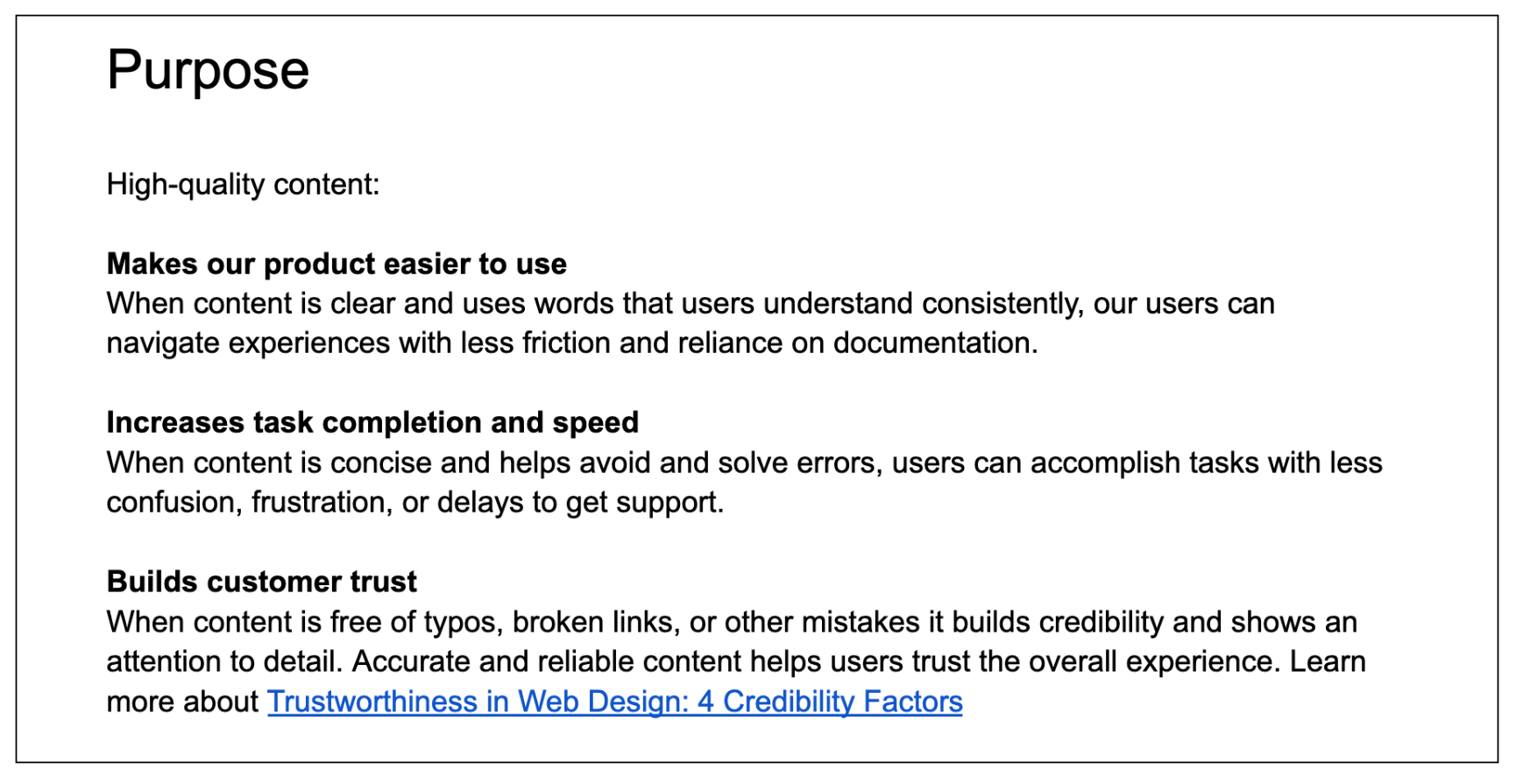
The content criteria to check
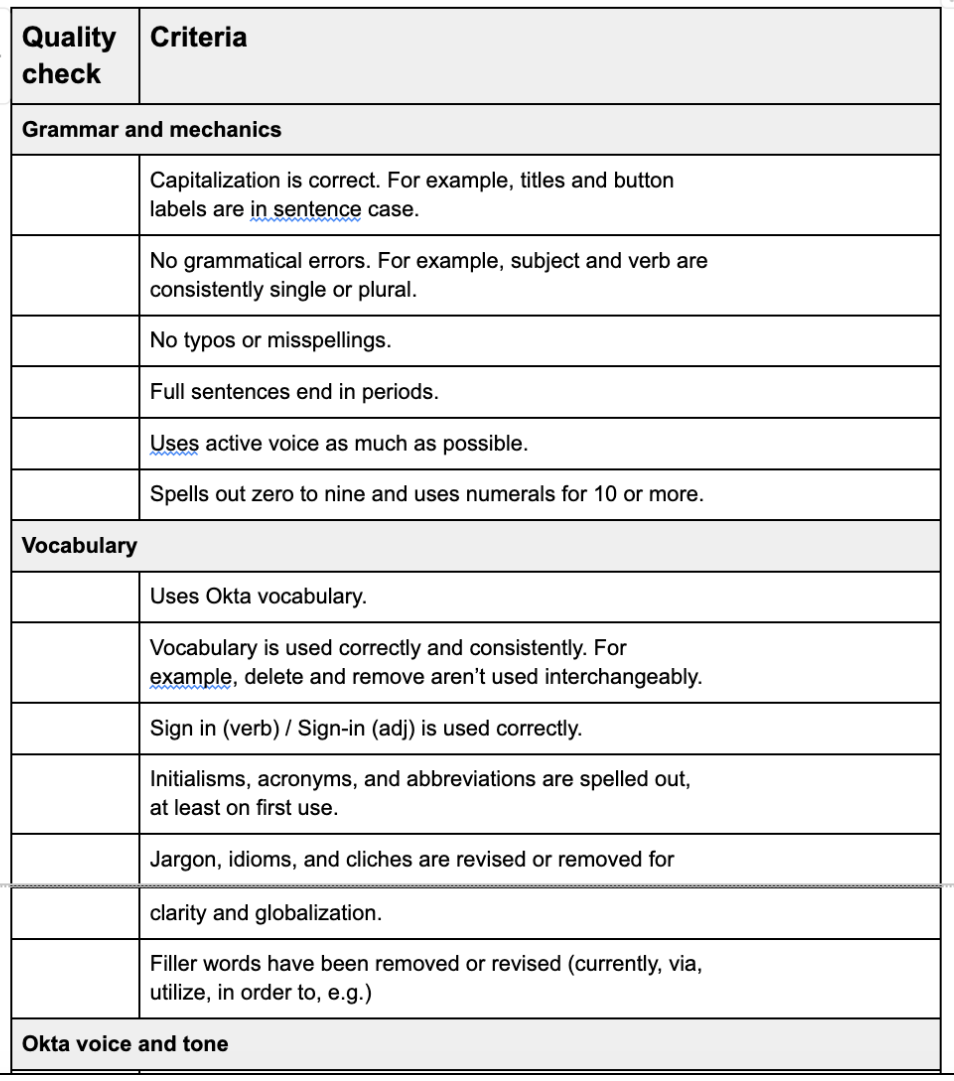
View the full content quality checklist (PDF)
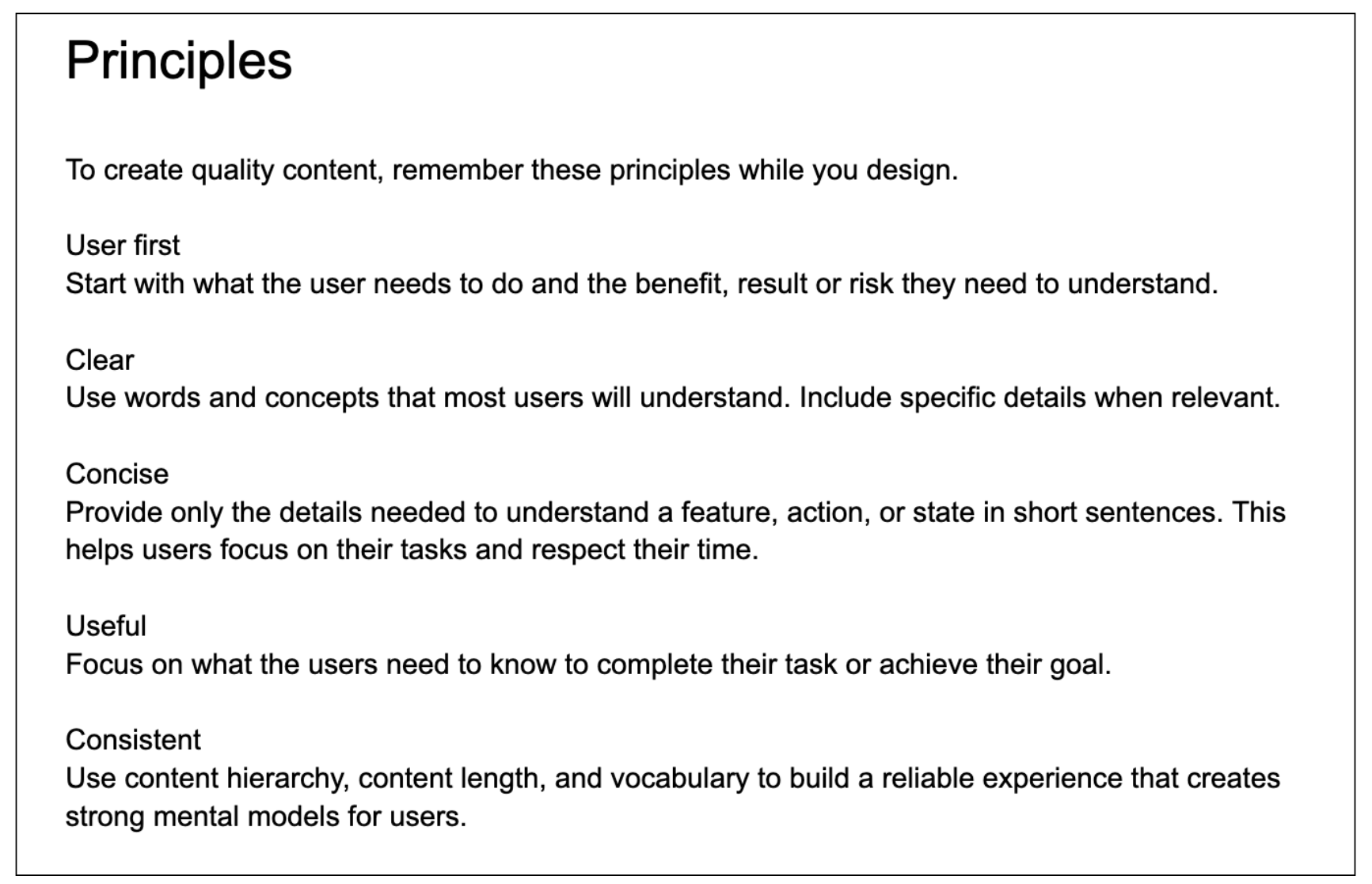
The principles to guide content creation
Socializing the content quality guidelines
The guidelines were introduced in a Design Team All-hands and shared to be used during designers’ craft sessions. I made myself available via Slack and weekly office hours to answer questions and provide support. (I should have forced my way into the five design craft sessions for several weeks to bring the guidelines into the groups’ critique practice.)
The content quality guidelines FAILED
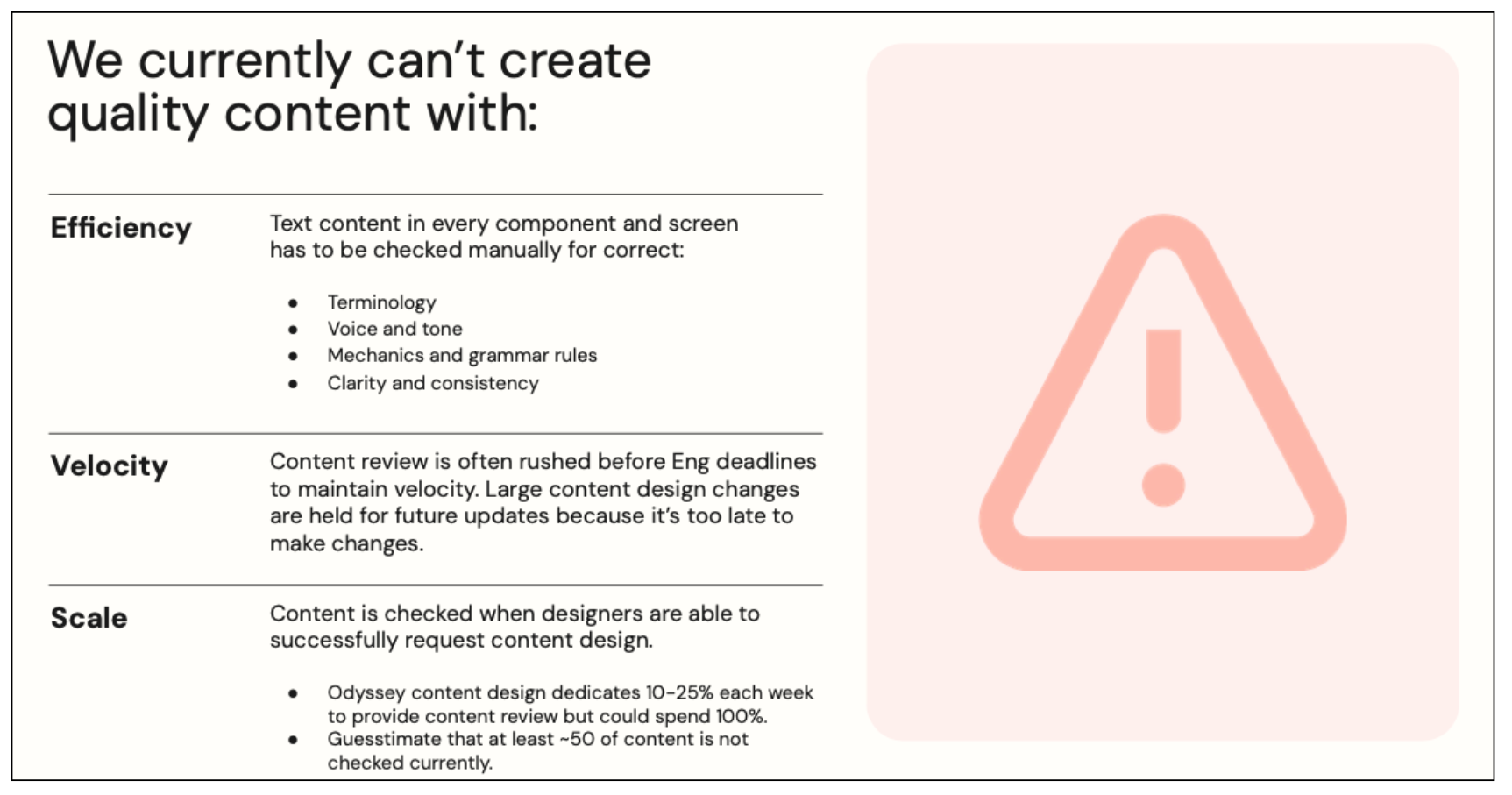
The guidelines were just another document designers had to consult while they worked in Figma. And, the guidelines relied on using and understanding the design system documentation and terminology.
There was no measurable improvement in content quality. I still needed to pair with designers and hold 1:1 content design consults to deliver high-quality content.
My second attempt: automating content quality with writing tools
I needed a way to help designers within their workflow and empower every designer equally.
Tooling could automate checking content quality, be integrated easily into designers’ processes so content wasn’t left to the last minute, and correct repetitive issues (like terminology). Content design consultations could focus on larger system and pattern improvements.
Evaluating and proposing content tooling
I’d been to conference presentations about Ditto. Grammarly was releasing a new Figma plugin…. I’d started hearing a lot about the power of Writer.com after Hubspot adopted it. At Okta, the documentation team had won budget and implemented Acrolinx to standardize and improve their content quality.
I focused on two options — the integrated vs the potential gold standard — and evaluated their capabilities against the cost of adding headcount in three possible locations (U.S., U.K., or India).
Acrolinx
Since Okta already had 30+ Acrolinx users, content quality would be automated across the ecosystem. The sidebar tool would allow designers to check their content for clarity, consistency, spelling and grammar, inclusive language, scannability, voice, and terminology against the design system’s component content guidelines, brand content guidance, and custom terminology. Also, the vendor had already passed all security and legal reviews so implementation could be completed within months.
Writer.com
Promising AI-assisted content creation and content quality enforcement using model training, natural language processing, design system guidelines, and approved terms. However, using this tool could create a silo and require unique and duplicated guidelines. We’d also need full security and legal reviews that would minimally take four to six months before we could even workshop its functionality.
The outcome
While the power and potential of Writer.com seemed very exciting, given Okta’s security requirements and very limited budget, there was no question our only choice was Acrolinx. Read the full Content Quality Tooling proposal (PDF)
Implementing Acrolinx
My proposal secured just enough budget to configure our most content-focused components and buy 10 licenses. I knew the documentation writers had achieved success year-over-year and I planned on using the test to secure budget for the entire design team.
I worked with the Acrolinx team to configure and test our implementation:
I ensured our component element names aligned between the design system library and Acrolinx
I reviewed the Acrolinx targets and we refined certain rules that were more strict in-product than allowed by documentation. For example, my sentence guideline of 10-15 words for readability was considerably shorter.
I learned how to create and link terms, eventually adding and defining more than 900 terms to our custom terminology.
I reviewed questions and testing issues with the Acrolinx team in weekly meetings.
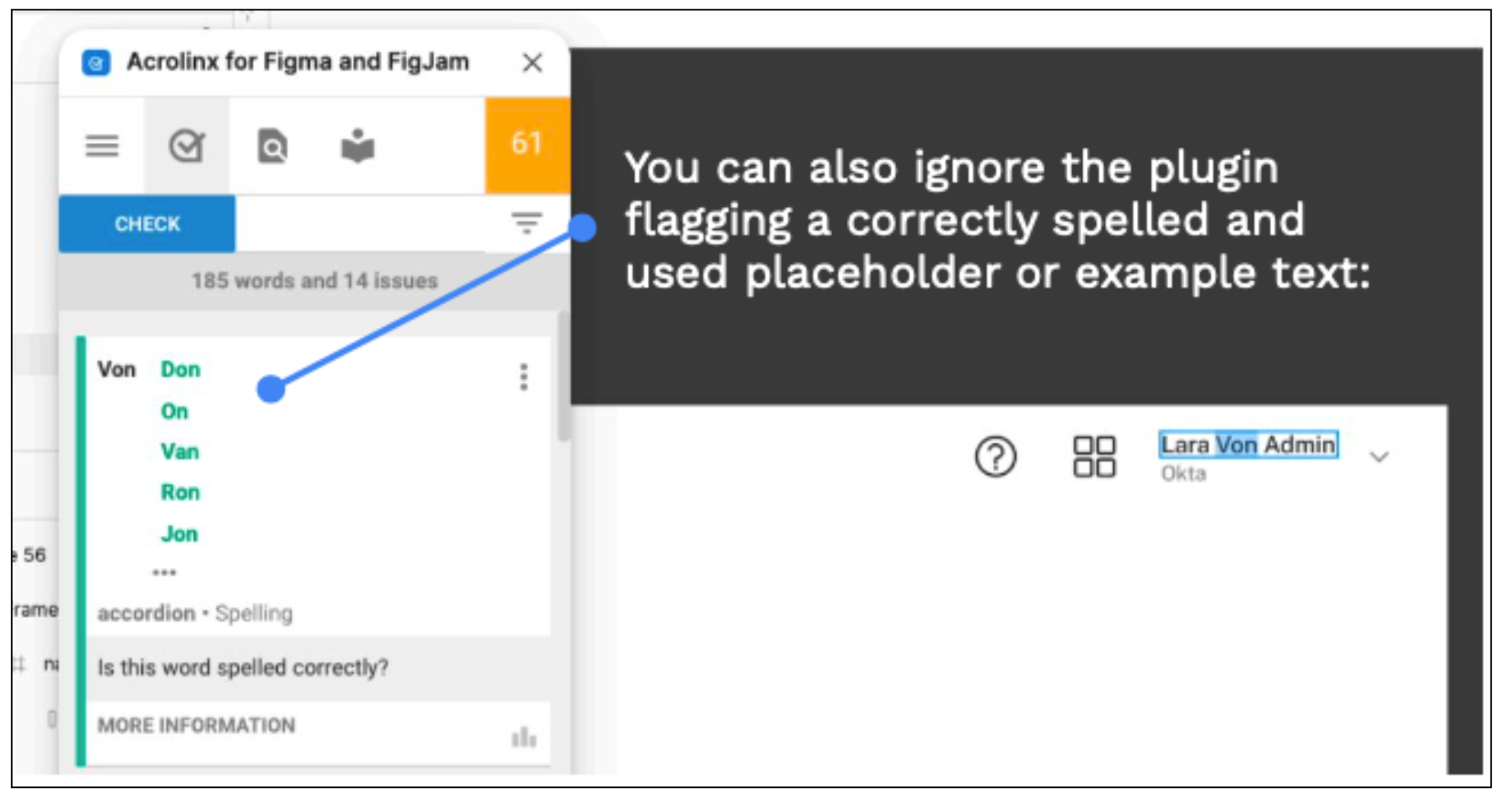
Then, we’d collaborate to fix any issues that weren’t “false errors,” like placeholders, or user error, like changing the element name in a file.
Training designers
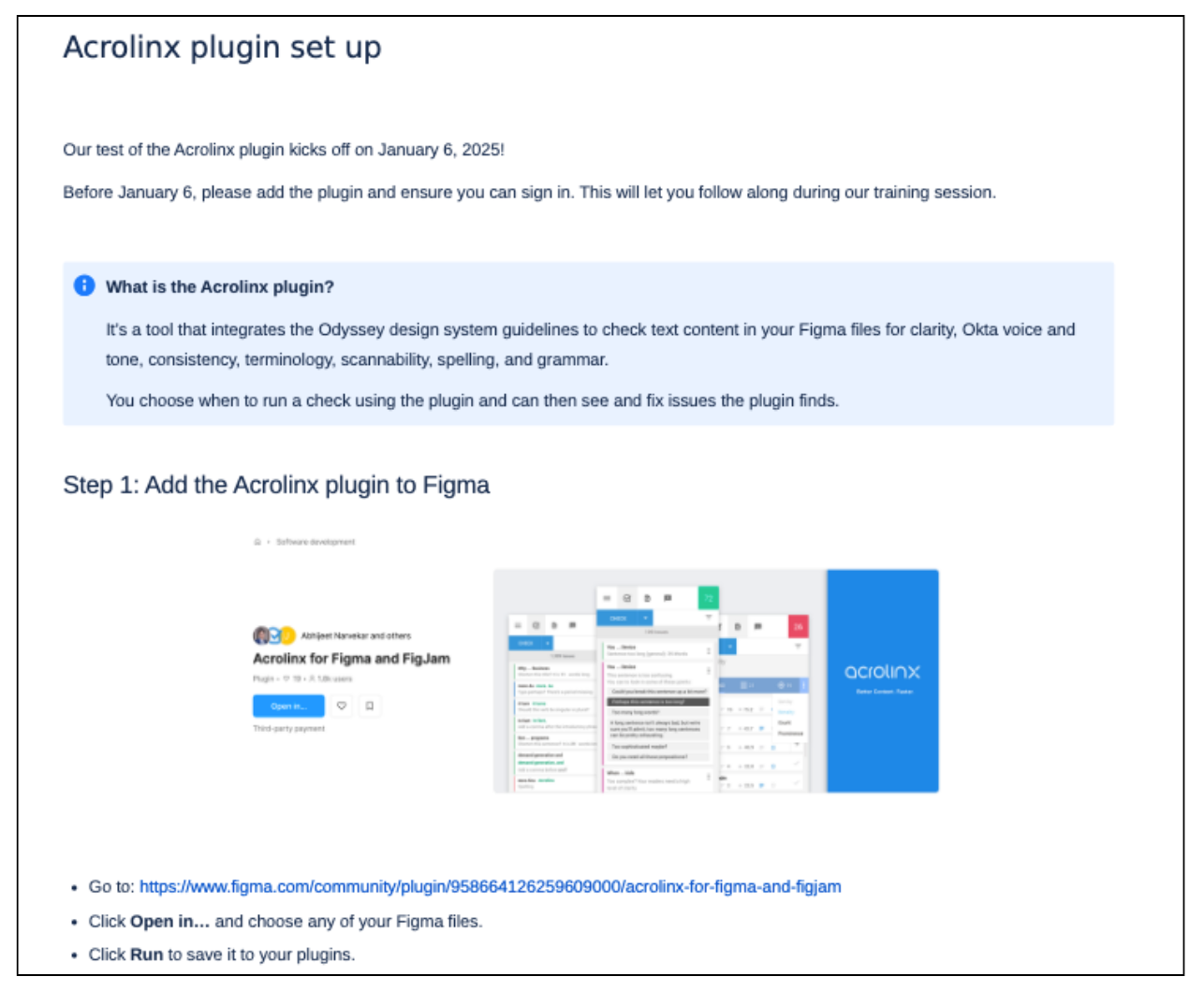
When the Acrolinx Sidebar detected the majority of issues correctly in our test files, I scheduled training sessions and prepared quick documentation to help designers set up and start using Acrolinx.
Acrolinx checking designers’ WIP
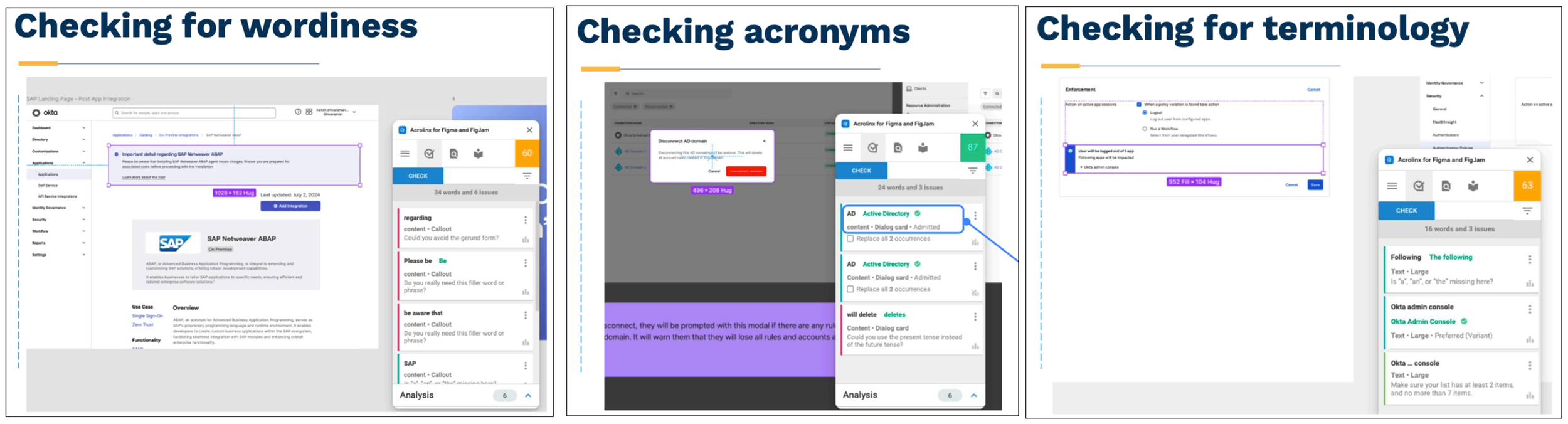
Adding content quality to designers’ workflow
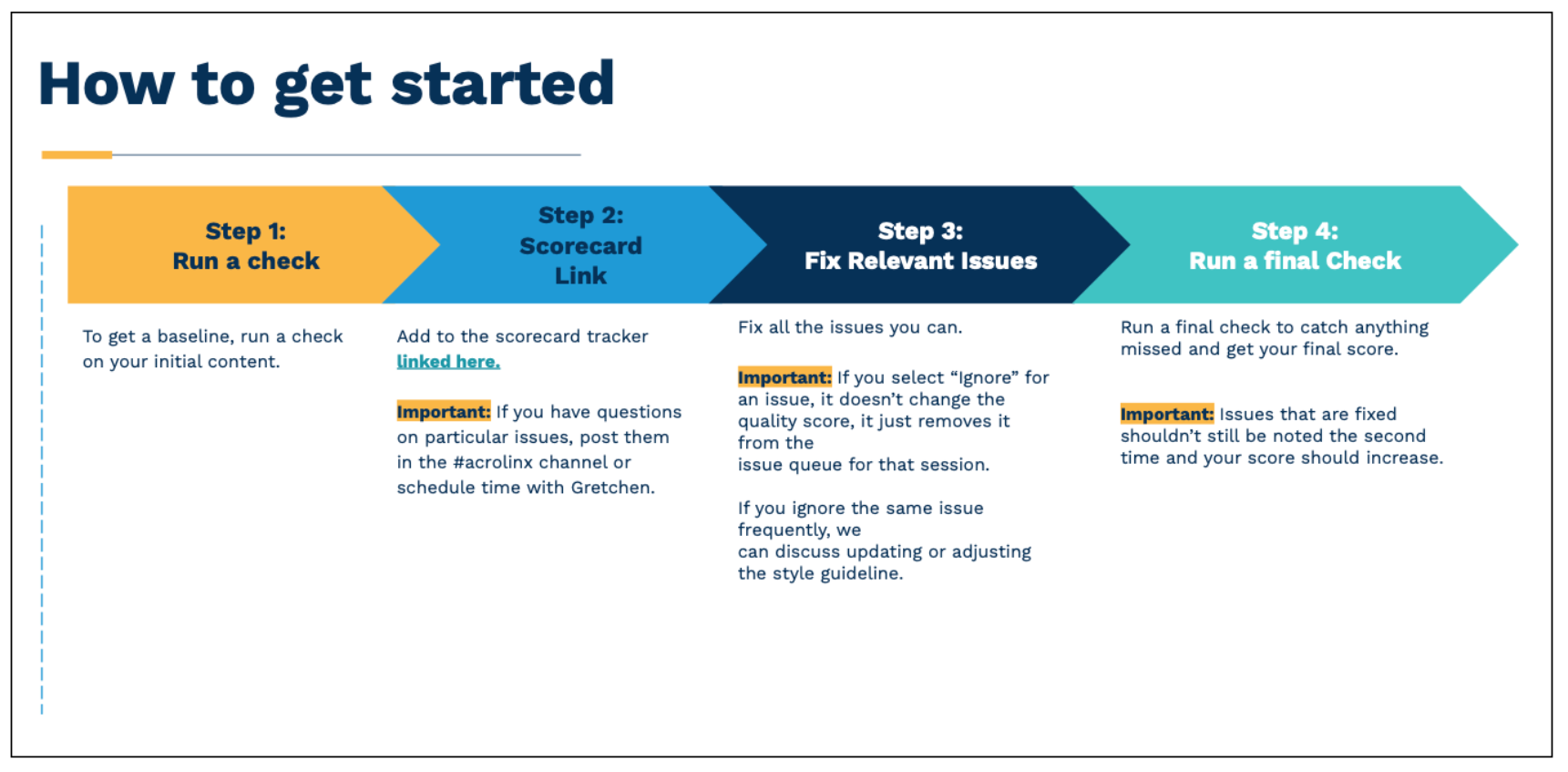
Designers began using the tool and checking their designs in Figma. While they could run as many checks as they like (Acrolinx isn’t changing to a word-based cost until later in 2025), I requested they include at least an initial check and a final check in their workflows.
The results
In the first month, the designers using Acrolinx as part of their workflow improved their content an average of 10%. Some designers had achieved 95% quality scores.
The trial was so successful that I secured budget to provide Acrolinx to all Workforce product designers for the next fiscal year.